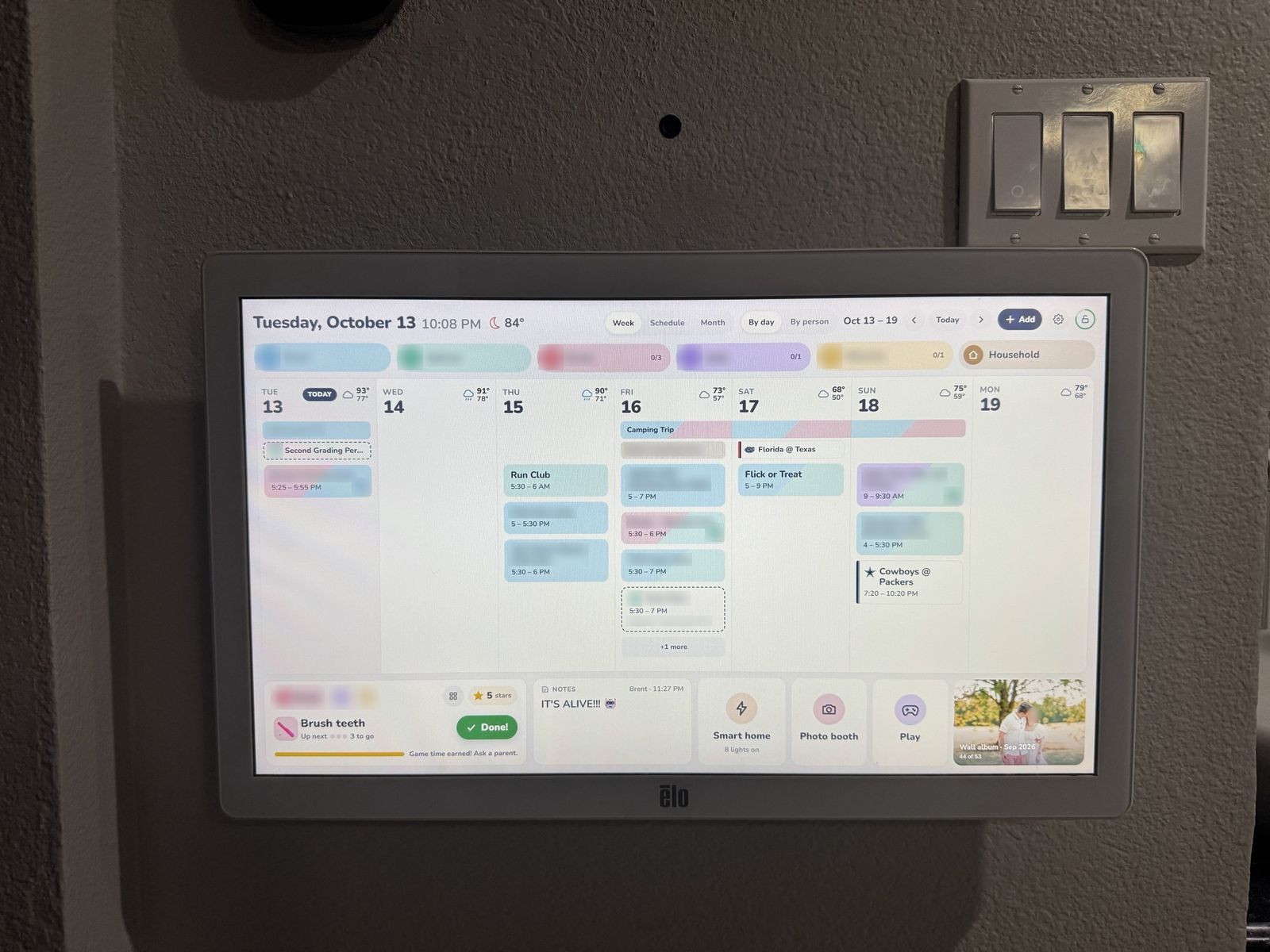
My wife and I both work, and our household runs on a tight schedule: a five-year-old with a full slate of activities and two toddlers whose nap times shift by the week. All of it lived on our phones, which meant the calendar was invisible to everyone else in the house.
I started by shopping for a wall-mounted family calendar. Skylight was the one I wanted. The design is clean and the larger screen appealed to me, but at the size we needed the price was hard to justify, and the features I cared about most sat behind a subscription on top of it.
Next I tried the budget route with a Linkdaze. It had no subscription and a far friendlier price, but it only came in smaller sizes and the design never won me over. It was polished enough to sell me in the moment and nowhere near good enough to become part of our routine, and I could tell it would end up ignored. That's when I decided to build our own. I already pay for plenty every month, and I had no interest in adding another subscription just to see my own calendar.
The hardware
The parts came to about $300:
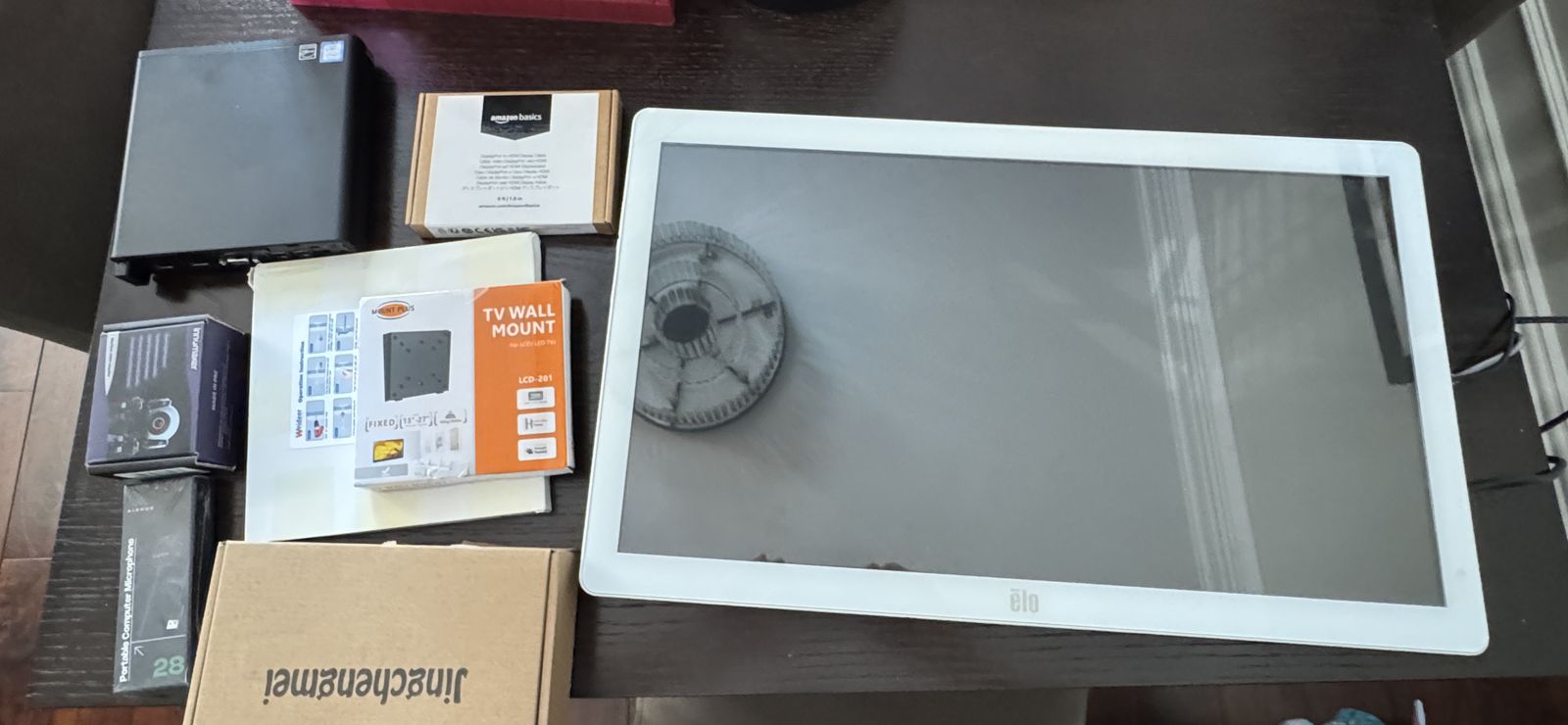
- A used 24-inch medical-grade touchscreen from eBay, about $130. Medical displays have sealed fronts and are built for places where spills are routine, so a toddler's juice cup is no threat. Most consumer screens can't say the same.
- A compact office computer, about $110, retired by a business after roughly three years of service. It mounts behind the screen, which keeps the wall clean.
- About $60 for a microphone, a camera, and the wall mount.
The rest was my time: a few weeks of work, mostly on weekends.
What it does
The calendar is the core of it. It shows the week with each person in their own color, along with month, schedule, and per-person views. It syncs both ways with our Google Calendars, so an event my wife adds on her phone appears on the wall, and anything added at the wall reaches our phones.
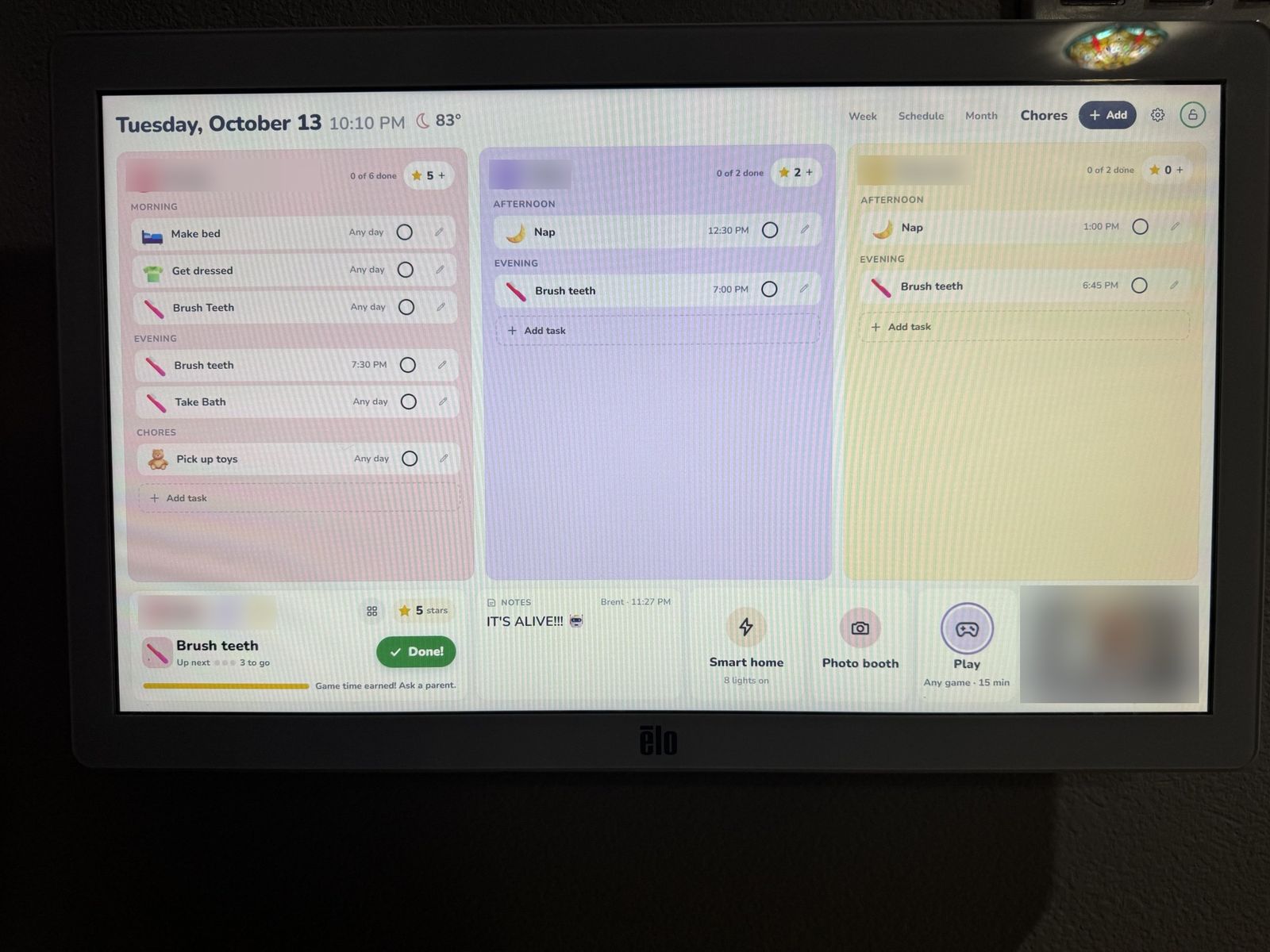
Each kid has a chore list with picture buttons, since they can't read yet, and earns a star for every task completed. My five-year-old now does his chores without being asked, purely for the stars. When the kids want game time, they request it at the wall, and my wife or I approve it from a companion app I built for our phones. That app also shows the day's calendar and chores.
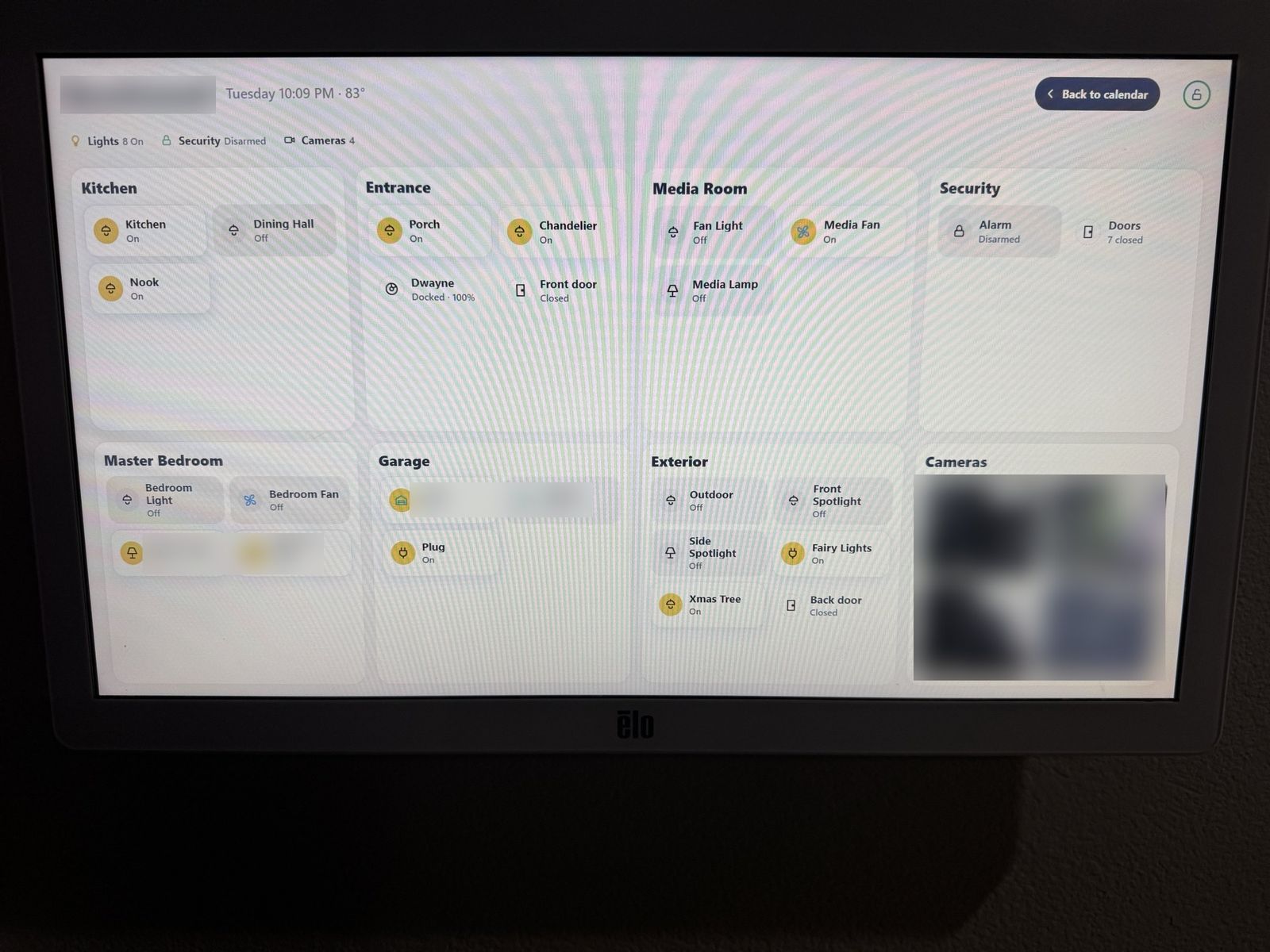
It doubles as the control panel for our smart home devices. Lights, fans, and garage doors are one tap each, and every door sensor and camera is visible at a glance.
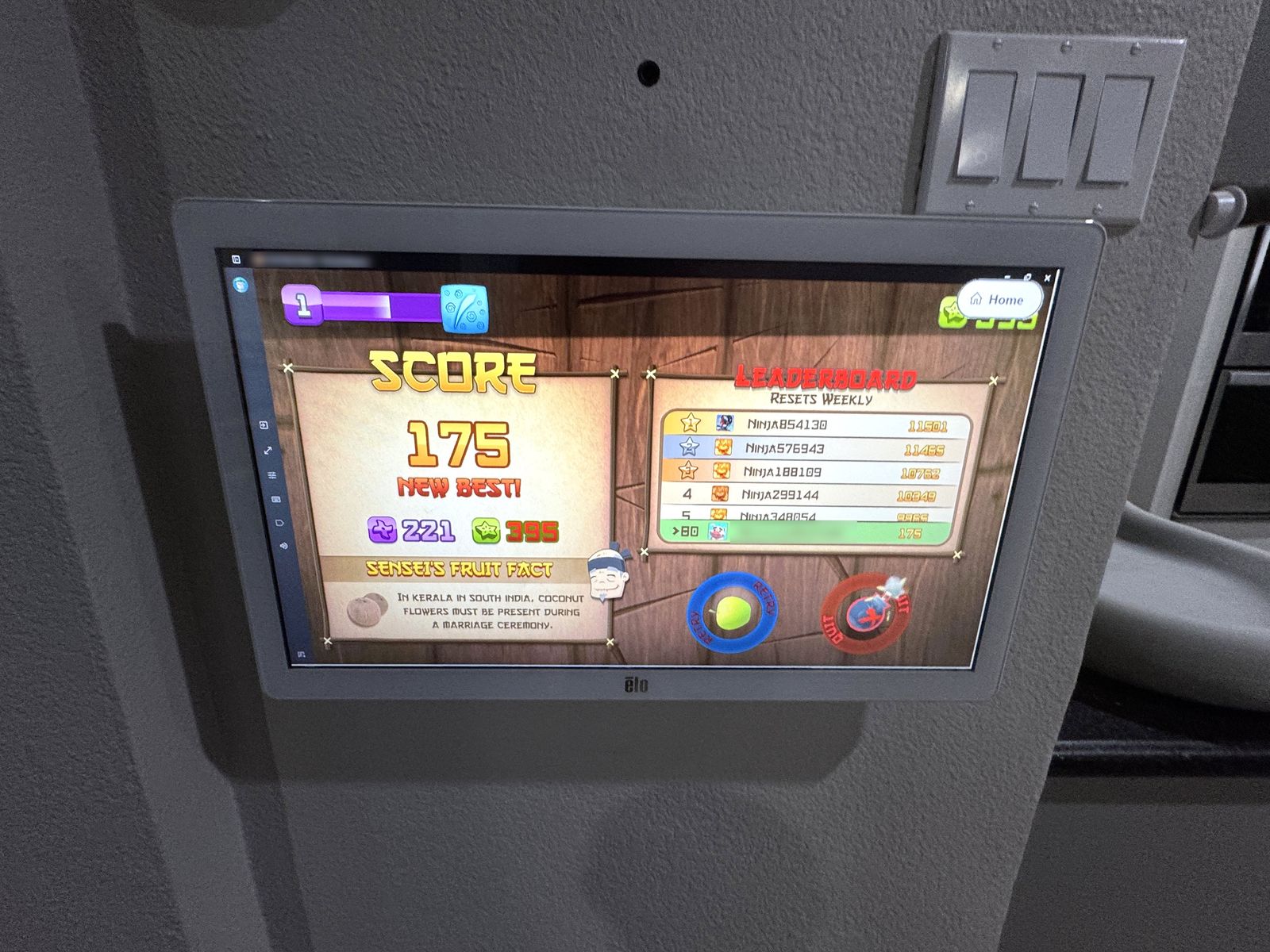
For the kids, the games are the main attraction. The photo booth is their favorite. I wrote custom filters for it, and mine is a mouse that puts a piece of cheese in your mouth when you open it; others throw fire and lightning. The drawing app is a close second. Every animal sticker plays that animal's sound, which the toddlers find endlessly entertaining. There's also a bubble-popping game I made that they could play all day, and it runs Fruit Ninja, a shared favorite of mine and my five-year-old's.
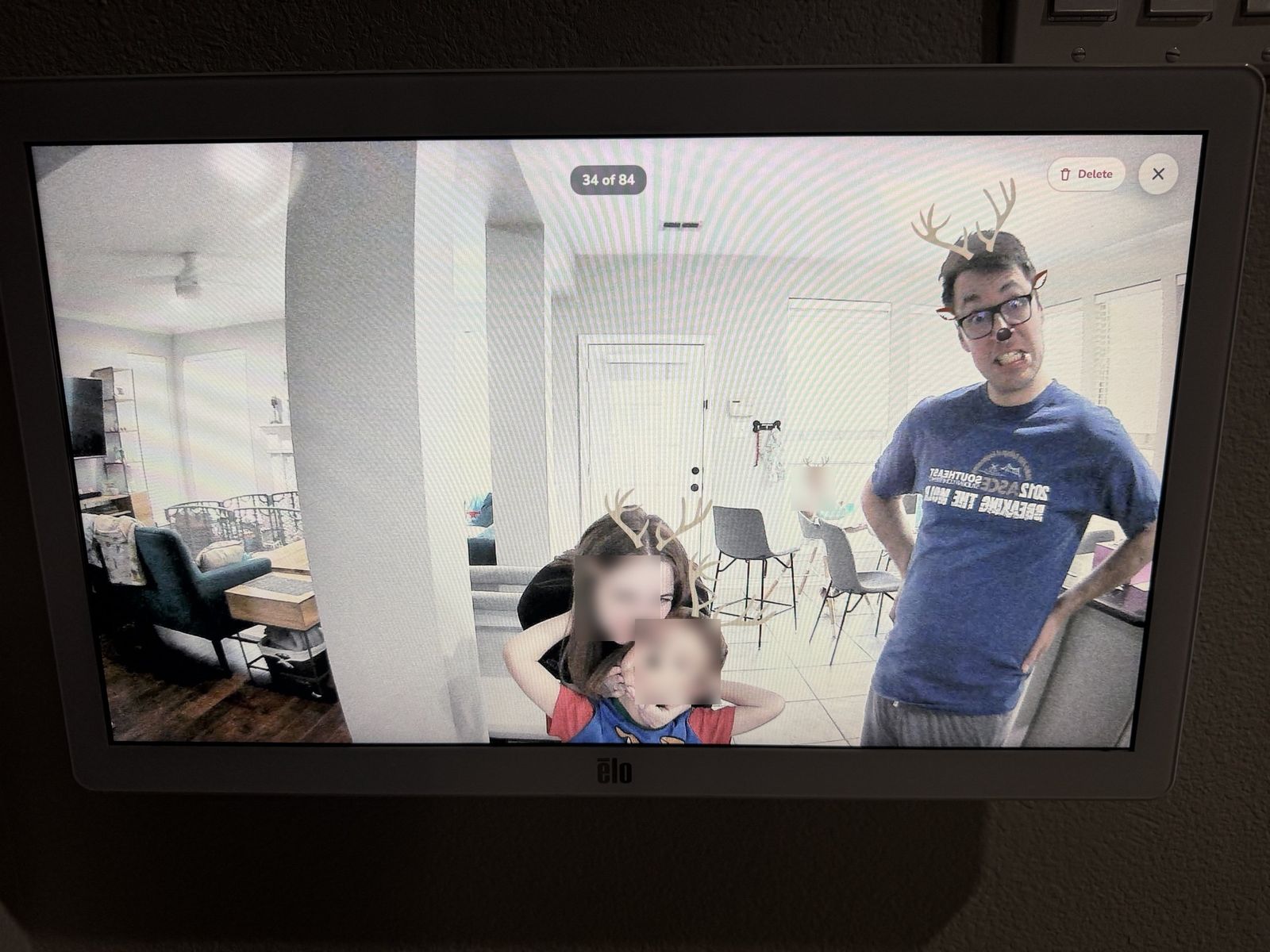
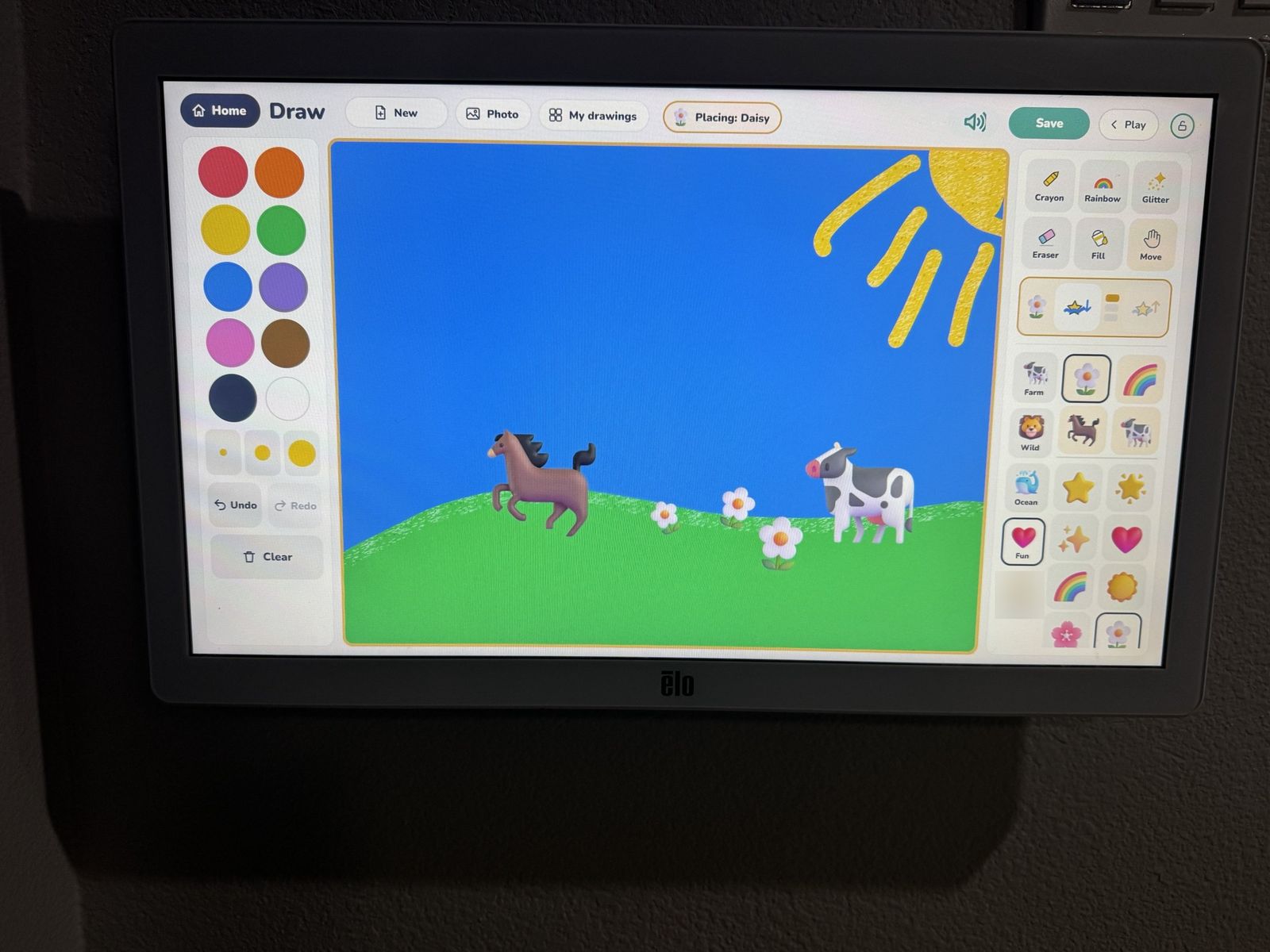
When no one is using it, the screen cycles through a shared Google Photos album. I added that almost as an afterthought, and it has turned into one of the best parts. I'll find my two-year-olds and my five-year-old standing in front of it laughing at the pictures, with the toddlers calling out the names of family members they recognize. It's heartwarming, and it's the clearest sign that I built something my family actually uses.
My wife was skeptical at first, and the installation didn't help my case. Let's just say the wall ended up with a few more holes than one screen strictly requires. Now she's the one checking the calendar to see who is driving which kid to which activity, since we can assign that right on the event, and she loves doing the photo filters and drawing games with the kids.
Keeping it running
Like any custom system, it needed more attention early on, and I still hit the occasional bug. AI has made those fixes quick. I usually send it a screenshot of the problem and it works out the cause from there, which beats waiting days for a support team to promise a fix at some unspecified date. Each fix makes it more stable, and it runs more smoothly every week.
It also grows with us. A recipe app might be next, or a game my kids and I design together, or a tutoring app built around whatever they're into at the time. With AI, all of that is within reach for one person working on weekends.
Rented software can disappear
A subscription feels like the safe choice. Someone else handles the maintenance and it simply works, until the company changes course. A few that did:
- Insteon, April 2022. The smart home company shut down its cloud servers without warning. Owners lost the app, remote access, and their Alexa and Google integrations overnight, while anything running locally on the hub in their homes kept working. (A buyer later acquired the company and restored service, with a subscription.)
- Wink, May 2020. Owners of the Wink hub were given about a week's notice to start paying $4.99 a month or lose the app and their automations, on hardware they already owned. Wink retreated briefly after the backlash, then went ahead anyway.
- Spotify Car Thing, December 2024. Spotify shut the device down permanently, and refunds came only after owners pushed back.
Companies get acquired and change direction. When you rent your software, what happens next is their decision.
Build or buy?
I build custom tools for a living, and I still recommend buying most software. If a tool serves everyone the same way, like email, accounting, or payroll, and it fits how you work at a fair price, buy it.
Building makes sense when the way you work is what sets you apart, when you're paying for several tools to do one job and copying data between them by hand, when monthly fees keep climbing for features you rarely use, or when the data needs to stay under your control. Often the best answer sits in between: keep the tools that work and build the small piece that connects them.